Teams Town Hall Q & A: Better Moderation with SlideSync
When the native Q&A in a Microsoft Teams town hall is enough — and when a parallel, GDPR-compliant Q&A tool is the better choice
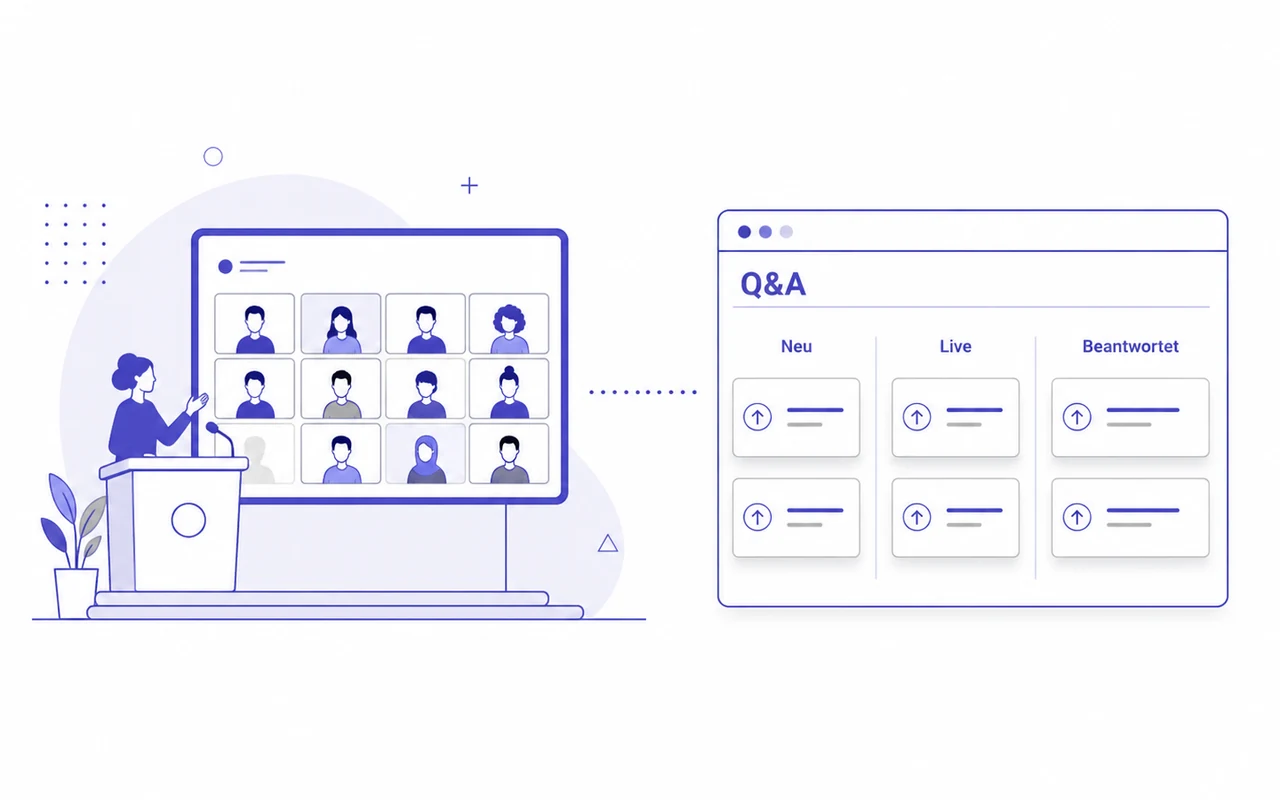
A Microsoft Teams town hall includes a Q&A feature by default — deliberately pared down to the essentials: incoming questions, per-question approval by a co-organizer, audience voting, optional anonymous questions (if the tenant allows it in the admin center) and a CSV export after the event (source: Microsoft Learn, 2026). For a small internal town hall with a manageable volume of questions, that is enough. But as soon as a multi-person communications team has to review, sort and approve questions at the same time — or external attendees need to take part smoothly without installing the Teams app — the built-in feature reaches its limits.
This page explains how Q&A moderation works in a native Teams town hall and where it gets tight at large internal events, online press conferences and IR calls — and shows how to run the SlideSync Q&A tool in parallel to a live town hall. Attendees reach it through a link in the invitation or the Teams event chat, plus an optional QR code on a slide. Third-party apps are no longer available in the attendee view of a town hall; the clean solution is therefore a standalone Q&A front end that attendees open in the browser while they follow the stream in Teams.
Note: for formal annual general meetings, where shareholder questions must be processed under company-law requirements, this setup is not suitable — see our page on the virtual annual general meeting for the right production.
At a glance (as of June 2026)
- Native Q&A in a town hall: one question list, per-question approval, audience voting, optional anonymity (tenant setting), CSV export. Enough for small internal events.
- Where it hits limits: large internal all-hands of several thousand employees, online press conferences, IR calls — as soon as a multi-person communications team has to moderate questions at the same time, or external attendees need to join smoothly without installing the Teams app.
- Third-party apps in the attendee view of a town hall: no longer available. The solution is therefore a parallel Q&A tool in the browser, not an in-app plugin.
- SlideSync Q&A in parallel: attendees open the Q&A via a link or QR code in the browser — no Teams app install, no Microsoft sign-in, no guest dialog. Moderation in the back end across three columns New → Live → Answered by drag and drop, several moderators at once, audience voting, Excel export of questions after the event, EU hosting.
- Identity mode per event: choose between anonymous, name optional, name required, or name taken automatically from a registration (e.g. via a SAML claim).
- Alternative: you can move the entire event to SlideSync — the platform covers streaming, Q&A and polls in one system.
- Not suitable for: formal annual general meetings with company-law requirements — we have a separate AGM setup for that.
Native Q&A: what Teams town hall offers out of the box
With a standard Teams Enterprise license (or Microsoft 365 E3 / E5), a Teams town hall offers:
- a Q&A feature for up to 3,000 attendees — in view-only mode with Q&A up to 10,000 viewers (source: Microsoft Learn, 2026);
- a list of incoming questions, visible to organizers and co-organizers;
- per-question approval by the event team before a question becomes publicly visible;
- audience voting on questions, sorted by votes for organizers and attendees;
- optional anonymous questions, if the tenant allows it in the admin center;
- CSV export of questions and answers by organizers and co-organizers.
For a staff meeting with a manageable volume of questions, that is enough. But as soon as the moderation team grows, the volume of questions rises, or external attendees need to join without installing the Teams app, the necessary structure is missing.
Where native Q&A moderation gets tight at large formats
From our own event production for large all-hands, online press conferences and IR calls, we know four recurring points where the standard Q&A is no longer enough:
1. Several moderators in parallel
At large formats, two to five people from the communications team typically work on the Q&A at the same time — one reviews incoming questions, one vets them for content, one approves them. In native Teams Q&A everyone shares a single view, with no visible processing status per question and no edit lock when two people open the same question at the same moment.
2. Structure for high question volume
With several thousand attendees, hundreds of questions arrive quickly. Without clear columns (received → in progress → live → answered), the list becomes unmanageable and good questions get lost in the crowd.
3. Identity control
For external stakeholders — press representatives at an online press conference, analysts on an IR call — it sometimes matters who asked a question (so a question can be attributed to a specific person). In native Teams Q&A the anonymity setting is tenant-wide; a per-event choice between anonymous, optional name or required name is not available.
4. The Teams app hurdle for external attendees
When an external person clicks the join link of a Teams town hall, Microsoft routes them through the Teams desktop or mobile app — install prompts, sign-in dialogs and continue-in-browser notices that do not offer the same feature set as the app. For internal employees this is a one-time inconvenience; for external press, investors and partners it becomes a recurring hurdle that noticeably lowers participation in the Q&A.
SlideSync Q&A in parallel to a Teams town hall
Since the switch to town hall, Microsoft no longer supports third-party apps in the attendee view — tools like SlideSync or Slido can no longer be embedded next to the stream. The approach is therefore not an in-app plugin, but a standalone Q&A front end that attendees open in the browser in parallel while they follow the stream in Teams.
Here is how it works in practice:
- Access via a link. The SlideSync Q&A URL becomes part of the calendar invitation, the welcome email or a message in the Teams event chat. Attendees click, open the Q&A front end in the browser and can ask questions immediately — no Microsoft 365 license required, no app install.
- QR code on the slide. For attendees watching on a mobile device or without the link to hand, a QR code can be placed directly on a notice slide in the presentation — typically right after the welcome and before the first question slot. The device camera opens the Q&A tool immediately.
- Stream and Q&A run decoupled. The video and audio stream continues over Teams town hall (or, depending on the setup, over SlideSync itself); the Q&A front end is a separate tab in the viewer’s browser.
- Moderation in the SlideSync back end. The communications team — several people at once — moderates questions across three columns New → Live → Answered by drag and drop. A question someone is working on is automatically locked for the others, so two people don’t handle the same question twice. Audience voting, anonymous or verified questions, sorting by likes or chronologically — all standard.
- Identity mode per event. Selectable for each event: name optional, anonymous only, name required, or name taken automatically from an upstream registration (e.g. SAML claim). This lets you decide per occasion what fits the audience.
- Excel export after the event. All questions — including status, votes and names where applicable — can be downloaded as an Excel file with one click, for internal analysis and follow-up communication.
- Polls as a complement. Alongside the Q&A, polls can be set up per event — multiple choice or open answers that attendees respond to in the same browser tab.
- Optional: the entire event over SlideSync. You don’t have to keep Teams town hall. SlideSync is a complete webcast platform; video and audio stream, Q&A, polls and all other functions run in the same system. Anyone making the platform decision anyway (for example because Live Events is being retired) can run the event entirely over SlideSync instead of operating two systems in parallel.
SlideSync Q&A vs. native Teams town hall Q&A
| Feature | SlideSync Q&A | Native Teams Town Hall Q&A |
|---|---|---|
| Moderation | 3 columns New / Live / Answered, drag and drop | single question list with approval |
| Several moderators in parallel | yes, with per-question edit lock | shared view, no lock |
| Identity mode per event | anonymous / name optional / name required / from registration (SAML) | tenant-wide anonymity setting |
| Audience voting on questions | yes | yes |
| Polls | yes, in parallel to the Q&A | not in the Q&A tool |
| Question export after the event | Excel file with one click | CSV export by organizers |
| Access without app install | browser only, no account, no sign-in | Microsoft routes attendees via the Teams app; external attendees go through sign-in or guest dialog |
| Attendee access | link in invitation/chat + QR code on slide | integrated into the Teams event |
| Hosting / data location | EU (GDPR-compliant) | Microsoft tenant (selectable) |
When is the parallel setup worth it?
Large internal all-hands — the main use case
When the moderation team grows from one to several people and questions arrive in parallel from several thousand employees, the linear Q&A list in Teams is no longer enough. Three columns plus drag and drop, a voting mechanism for the workforce and a clean Excel export for follow-up are the typical reason for the parallel setup at this scale. More on the format itself on our page about the online town hall meeting.
Online press conference
At online press conferences, identity control matters: you want to know which newsroom a question comes from. The per-event identity mode (name required, or taken automatically from the press-conference registration) reflects that requirement.
IR call
On an IR call the Q&A is comparatively small but sensitive in content — analysts expect prompt, precise answers. Voting helps pull the most important question to the front; the identity mode attributes questions to a person; the Excel export provides the basis for written follow-up right after the call.
Not suitable: formal annual general meetings. Shareholder questions under company-law requirements are handled in a separate AGM setup — see virtual annual general meeting.
Setup overview
The integration is deliberately lightweight — precisely because it works without a third-party app in Teams. Three steps:
- Create the Q&A event in SlideSync. We set up the event, configure the right identity mode (anonymous / name optional / required / from registration) and provide the access URL.
- Distribute the URL and QR code. The URL goes into the calendar invitation, the welcome email and the Teams event chat. We supply the matching QR code for the URL; your presentation team places it on a notice slide.
- Set up the moderation team. We create roles for your back-end team and walk through the workflow with you before the event. Phone support during the event is part of every subscription and every event package; dedicated live support from a producer can be added by the hour if needed.
The actual streaming stays unchanged over Teams town hall — you change nothing in your Teams configuration and keep your existing licenses.
Practical tip: when verbally inviting the audience to the question round during the event, allow for 20 seconds of stream delay — this is a technical property of the stream transmission itself and affects every live platform.
Frequently asked questions
Does Microsoft Teams town hall have its own Q&A feature?
Yes. Teams town hall includes a native Q&A feature — a question list with per-question approval, audience voting, optional anonymous questions (tenant setting) and CSV export. For small internal town halls it is enough; at large all-hands, online press conferences or IR calls a multi-person moderation team lacks the necessary structural aids, and external attendees have to go through the Teams app or the sign-in dialog.
How do you moderate Q&A in a Microsoft Teams town hall?
In a native Teams town hall, moderation runs through a single shared question list: organizers and co-organizers see incoming questions and approve them one by one before they become visible, and the audience can upvote questions. There are no separate processing columns and no edit lock, so a multi-person communications team works in the same view. For larger events many teams run a parallel Q&A tool such as SlideSync, which moderates questions across three columns — New, Live, Answered — by drag and drop, with several moderators at once and a per-question lock.
Does SlideSync run as an app in the attendee view of a Teams town hall?
No. Microsoft no longer supports third-party apps in the attendee view of a Teams town hall. SlideSync Q&A therefore runs in parallel — attendees open the Q&A front end in a second browser tab or on a mobile device while the video stream continues in Teams. Access is via a link in the invitation or event chat and an optional QR code on a slide.
Do attendees have to install the Teams app or sign in?
No — the SlideSync Q&A front end opens in any browser, with no install, no Microsoft sign-in and no guest dialog. That is the pragmatic main reason for a parallel Q&A at events with external participation: Teams routes attendees through its desktop app or the sign-in dialog; SlideSync simply opens a web page. For internal employees on the company tenant the app install is a small hurdle; for external press, analysts and partners it often decides whether they actively take part or just watch.
Can questions be asked anonymously — or must the name be visible?
Both are possible. SlideSync Q&A has four modes per event: anonymous only, name optional, name required, or name taken automatically from an upstream registration (e.g. via a SAML claim from your identity provider). This lets you decide per occasion what fits the audience — at an internal all-hands anonymity may be wanted, while at an online press conference or an IR call attribution to a person is often useful.
Can we use the Q&A for an annual general meeting?
For a formal annual general meeting we do not recommend this setup — shareholder questions are subject to company-law requirements that call for a dedicated AGM setup. Contact us directly for AGMs or visit our page on the virtual annual general meeting.
How does SlideSync Q&A differ from Slido?
Slido is a well-known Q&A and polling tool from the Cisco Webex world that also opens via a link or code. The tools overlap at the core. The differences that typically matter to our clients: EU hosting and GDPR-compliant data processing, the per-event identity mode (anonymous to SAML-verified), and the option to embed it in a managed live production — SlideSync is a standalone platform you can run yourself, or book together with our production and live-support services if you prefer a managed production.
What does SlideSync Q&A cost on top of Teams town hall?
SlideSync is a standalone platform with its own pricing — per event or as a monthly or annual subscription, depending on event frequency. We will work out which option fits better; our optional production and live-support services can be added separately if needed.
Conclusion: stream in Teams, Q&A in SlideSync
The native Q&A in Microsoft Teams town hall covers the standard scenario — small internal staff meetings with a manageable volume of questions. As soon as your requirements go beyond that — large all-hands, online press conferences, IR calls — SlideSync Q&A in parallel to the town hall is the clean solution: the stream continues unchanged in Teams, the Q&A opens in a browser tab or via QR code, the communications team works in the New-Live-Answered moderation flow, and the results are available after the event as a clean Excel export — GDPR-compliant and EU-hosted. Anyone making the platform decision anyway can also move the entire event to SlideSync — as a complete webcast platform it covers streaming, Q&A and polls in one system.
Talk to us if you are planning a specific town hall, a large all-hands, an online press conference or an IR call — we will recommend the right setup and take over the production, including live support.
Try SlideSync!
Let’s talk about your event!