Microsoft Teams Town Hall: Attendee Pack, Cost, and Alternatives
What the switch from Live Events to Town Hall means for your events
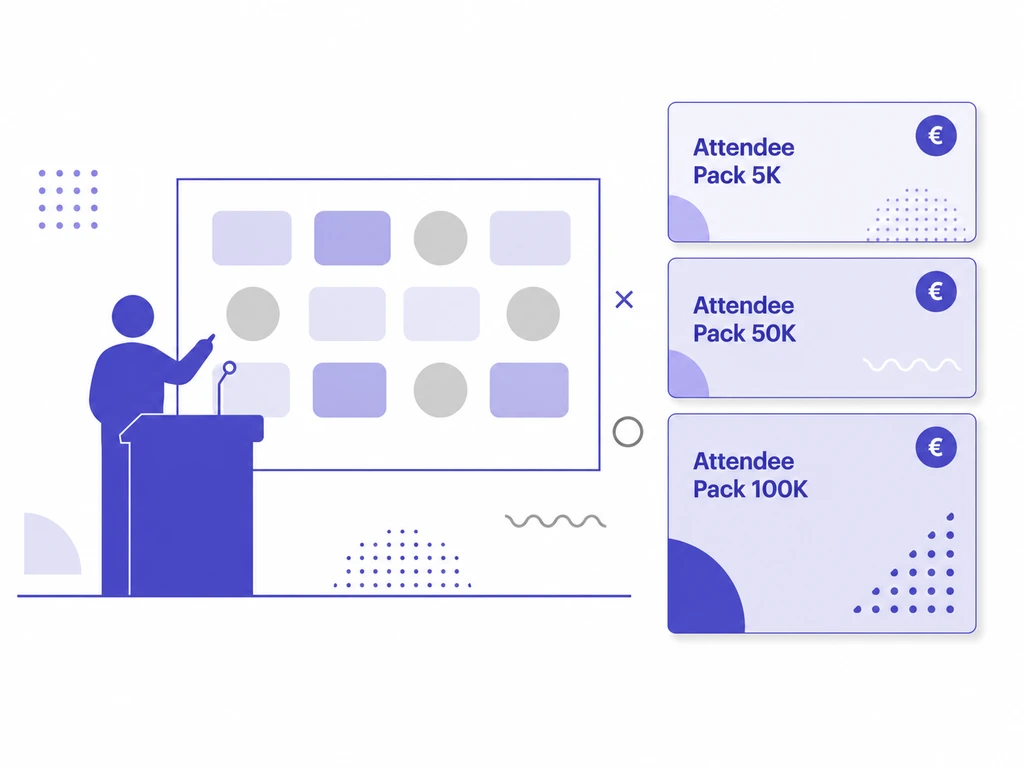
Microsoft is retiring Teams Live Events in July 2026 — events already scheduled run until 28 February 2027 (source: Microsoft, 2025). The official successor is Microsoft Teams Town Hall: a unified interface for large broadcast events inside Teams. But as soon as you want to reach more than 3,000 attendees, the new format quickly becomes expensive and inflexible — Microsoft sells the extra capacity as Teams Events Attendee Packs, which you must assign per person and which in practice require contract terms of at least one year. We explain what has changed since 1 April 2026, what the packs cost — and when a specialized platform like SlideSync is the better choice.
At a glance
- Timeline: Teams Live Events is retired in July 2026; events already scheduled run until 28 February 2027.
- Successor: Microsoft Teams Town Hall — unified broadcast interface in Teams for annual general meetings, all-hands and comparable large formats.
- Capacity: 3,000 attendees on the standard license; up to 10,000 in view-only mode with Q&A. Larger reach requires Attendee Packs — assigned per person, effectively on a 1-year contract.
- License change: since 1 April 2026, several features previously included in Teams Premium are part of Teams Enterprise.
- When is an alternative the better choice? When embedding on your own website, your own corporate design, per-event pricing or GDPR-compliant EU hosting are hard requirements — then a specialized platform like SlideSync is worth a look.
What is Microsoft Teams Town Hall?
Microsoft Teams Town Hall is the unified broadcast feature inside Teams for large, one-to-many events: a limited group of presenters speaks to a large audience that interacts via Q&A or event chat but does not actively use microphone or camera. The new format replaces Teams Live Events as Microsoft’s recommended solution for annual general meetings, all-hands meetings, online town hall meetings and comparable large formats. Since 1 April 2026, several features previously included in Teams Premium are also part of Teams Enterprise — so the licensing landscape has shifted as well.
Live Events is being retired — the timeline
Microsoft has communicated a clear timeline:
- July 2026 — Teams Live Events is officially retired. From this point on, no new events can be scheduled.
- 28 February 2027 — events scheduled before then still run; after that, the feature ends completely.
Microsoft recommends that all customers migrate to Town Hall. Anyone who has used Live Events for regular large formats should make a deliberate decision now at the latest: the new format — or a specialized streaming platform.
Standard capacity: 3,000 attendees
With a standard Teams Enterprise license (or Microsoft 365 E3 / E5), Town Halls reach up to 3,000 attendees. An additional view-only mode with a Q&A feature extends events to up to 10,000 viewers (source: Microsoft Learn, 2026). The standard scope includes, among other things:
- a Q&A feature (standard scope)
- live captions and recording
- embedded streaming within the Microsoft 365 tenant
- access for viewers with a Microsoft 365 account or as guests
Anyone who needs more reach depends on additional licenses — the Teams Events Attendee Packs.
Higher reach: Teams Events Attendee Packs
For reach above 3,000 attendees, Microsoft sells seven tiered packs — from 5,000 to 100,000 people. Important to know:
- Assigned per person: each pack is bound to a specific organizer.
- Not shareable across the company: if several people are to host large Town Hall events, each needs their own pack.
- Recurring license — no pay-per-event option, but billed monthly, annually or on a 3-year contract.
The following table shows the list prices in the Microsoft 365 admin portal (as of 2026-05-04, excluding partner discount). Binding prices apply only through your Microsoft contract or a CSP partner.
| Plan | 1 year — €/month | 1 year — total | 3 years — €/month | 3 years — total |
|---|---|---|---|---|
| Attendee Pack — 5k | €1,228 | €14,736 | €1,170 | €42,120 |
| Attendee Pack — 10k | €3,230 | €38,760 | €3,076 | €110,736 |
| Attendee Pack — 20k | €4,845 | €58,140 | €4,614 | €166,104 |
| Attendee Pack — 35k | €8,882 | €106,584 | €8,459 | €304,524 |
| Attendee Pack — 50k | €12,919 | €155,028 | €12,304 | €442,944 |
| Attendee Pack — 75k | €18,572 | €222,864 | €17,687 | €636,732 |
| Attendee Pack — 100k | €24,223 | €290,676 | €23,070 | €830,520 |
Contract terms and the practical problem
Microsoft offers the packs in three contract terms:
- Monthly — highest flexibility, highest price.
- 1 year — the choice common in practice.
- 3 years — around 5% discount compared with the 1-year contract.
In theory that sounds flexible — in practice it rarely is. The reason lies not in the contractual framework with Microsoft itself (which most companies already have in place), but in the internal processes around assignment. An Attendee Pack is bound to a specific person in the Teams Admin Center (under Meetings / Events → Attendee licenses) — typically by IT with a Teams Administrator or Global Administrator role, not by the event team itself (details: Microsoft Learn — Manage Attendee Capacity Pack). Add to that IT procurement or software asset management, co-determination by the works council (relevant from larger internal events with recording and engagement analytics onward) and, where applicable, a data-protection review as soon as the data flow changes. For a single event, this coordination process is often more drawn-out than the event production itself.
The consequence: in practice the system forces most companies into a 1-year contract, even when only a single large event is planned. Anyone hosting just one annual general meeting or one all-hands event with 5,000 attendees per year still pays around €14,700 a year at list price — for a single event day.
What no longer works: embedding, branding and plugins
Three restrictions are particularly relevant when migrating to Town Hall:
Embedding only within the Microsoft 365 stack
Town Hall is designed for the Microsoft 365 stack — the attendee view works through the Teams client or Microsoft’s own web portals. A reliable embed into your own corporate website or an external intranet is officially not supported. The Microsoft documentation describes this restriction only vaguely; in practice it does not work. Anyone who wants to offer streaming on their own website — for external stakeholders, investors or the press, for example — is in the wrong place with this platform.
Branding stays at Microsoft level
Town Hall allows rudimentary branding — logo, banner, an accent color. The look and feel, however, remains recognizably Microsoft: the player UI, the controls, the chat panel follow the Teams design. Your own corporate design with your own typeface, your own player skin or an event microsite in the style of your brand is not provided for. For internal employee events that is usually acceptable; for annual general meetings, investor events or press conferences, where the brand presence is part of the message, the standard look quickly becomes a problem.
Third-party apps in the attendee view are gone
In Live Events, third-party apps such as SlideSync or Slido could be shown next to the stream to give attendees extra features like polls, filtered Q&A or voting. In the new Town Hall interface, apps are no longer available to attendees. Presenters and organizers can still use apps — but viewers no longer see them in the attendee view. How to close this gap specifically for the Q&A is described on our page about Teams Town Hall Q&A with SlideSync.
Anyone who depends on these features, on consistent branding or on embedding into their own website must either rebuild them externally with some effort — or go straight for a platform that closes exactly these gaps.
SlideSync as a flexible alternative
SlideSync is built for exactly these gaps — SlideSync, the webcast platform from MediaEvent Services. Concretely, that means:
- Flexibly bookable live support. Phone support is included in every subscription and every event package. If you want a producer reserved online for a specific event window — sound check with presenters, standby for technical intervention, Q&A moderation, recording — dedicated live support can be added by the hour, at short notice and without a separate contractual framework. With Microsoft, comparable depth is only available through the Teams Events Hosting Assistance or Advanced Production Service — paid, with a recommended two-week lead time, booked through the Microsoft account team, and conditional on a Unified Support contract.
- Pricing matches usage. Per-event packages for single large formats, monthly or annual subscriptions for recurring event series. Scaling is included in the respective package — no per-person binding, no rigid contract terms.
- EU hosting and GDPR-compliant. Data processing exclusively within the European Union — relevant for regulated industries, listed companies and anyone with data residency as a hard requirement.
- Embedding on your own website. Stream and Q&A can be embedded directly into your corporate website, your intranet or a dedicated event microsite — without a Microsoft 365 dependency for your viewers.
- Full corporate design. Your own typeface, your own colors, your own player skin, your own URL: SlideSync adapts to your brand presence rather than the other way around. For annual general meetings, IR calls and press conferences, where the visual presence is part of the message, that is a hard advantage.
- Q&A interface with a swimlane approach and filters. Developed specifically for back-end teams moderating many questions in parallel at large events. The feedback from our clients is consistently positive — most prefer our tool over the standard Q&A in Teams.
- Browser-based for all viewers. No Microsoft 365 license required — attendees simply open a link.
SlideSync vs. Microsoft Teams Town Hall compared
| Feature | SlideSync | Microsoft Teams Town Hall |
|---|---|---|
| Standard capacity | flexible per event | 3,000 attendees |
| Scaling above 3,000 | included in the event package | Attendee Packs required (per person) |
| Pricing structure | per event or subscription (monthly/annual) | per-person license with a term |
| Min. contract term | flexible from a single event | de facto 1 year |
| Phone support | included in every subscription and event package | via Unified Support contract |
| Dedicated live support on the event day | flexible, as an hourly add-on | only via Teams Events Hosting Assistance or Advanced Production Service (paid, two-week lead time, Unified Support contract required) |
| Hosting / data location | Europe (GDPR-compliant) | Microsoft tenant (selectable) |
| Embedding on your own website | yes | no |
| Corporate design / branding | fully customizable (typeface, colors, player, URL) | limited (logo, accent color) |
| Q&A moderation | swimlane + filters, for back-end teams | standard list |
| Third-party apps in the viewer view | n/a (features integrated) | no longer supported |
| Microsoft 365 license required | no (viewers only need a browser) | yes (organizers need Teams Enterprise) |
Frequently asked questions
When is Microsoft Teams Live Events retired?
In July 2026. Events scheduled before then continue to run until 28 February 2027. Microsoft recommends migrating to Town Hall — alternatively, a specialized platform like SlideSync is more flexible and usable without a license commitment.
How many attendees can I reach with Town Hall by default?
Up to 3,000 with the standard license, up to 10,000 in view-only mode with Q&A. For higher reach — up to 100,000 — Attendee Packs are required, each assigned to one person.
Can Attendee Packs be shared within the company?
No. Each pack is firmly bound to one person and cannot be shared between employees. If several people are to host large Town Halls, each needs their own pack — which makes the solution considerably more expensive in practice than the list prices suggest.
What does a Teams Town Hall Attendee Pack cost?
List prices start at €1,228 per month for 5,000 attendees on a 1-year contract and scale up to €24,223 per month for 100,000 attendees. The 3-year term brings around 5% discount. Important: the licenses apply per person and cannot be shared internally.
Can Microsoft Teams Town Hall be embedded into your own website?
Not reliably. Town Hall runs through the Teams client or Microsoft’s own web portals; Microsoft does not officially support embedding into third-party websites. Anyone who needs streaming on their own website is better served by a specialized platform like SlideSync.
Do SlideSync or Slido work as apps in Microsoft Teams Town Hall?
Third-party apps are no longer available to viewers in the new interface. Presenters and organizers can still use apps — the attendee view does not show them. For Q&A, polls or voting directly for attendees, an integrated platform like SlideSync is the clean solution.
Conclusion: when is the switch worth it — and when SlideSync?
Microsoft Teams Town Hall is a fit for smaller internal staff meetings — typically under 3,000 attendees, i.e. within the standard license, without Attendee Packs. For pure in-house updates to the workforce, where your IT runs the production itself and the standard look of the Teams interface suits the audience, the platform is functionally sufficient.
SlideSync is the better choice as soon as you run a professional production — and then you need a professional tool. Concretely, that means:
- Board-level appearances, annual general meetings, IR calls, press conferences. These formats demand a higher service level: a dedicated producer and platform team online throughout the broadcast, an escalation path directly to the platform rather than through regular support channels, immediate response time for live incidents. With SlideSync, phone support is included by default in every subscription and every event package; dedicated live support (a producer reserved online for your event window) can be added flexibly as an hourly add-on — at short notice, without a separate contractual framework. With Microsoft, comparable depth is only available through the paid Teams Events Hosting Assistance or Advanced Production Service — with a recommended two-week lead time, booked through the Microsoft account team, and conditional on a Unified Support contract.
- Structured Q&A moderation. As soon as the Q&A of an event has to be curated, filtered or approved — the case at any event with external visibility — the standard Q&A in Teams is not enough. For how to moderate the Q&A in parallel to a running town hall, see our page on Teams Town Hall Q&A with SlideSync.
- Embedding on your own website or full corporate design. When the appearance is part of the brand message — practically always the case for IR events, investor updates and press conferences — the standard look of the Teams interface is inadequate.
- Reach from 3,000 attendees onward. As soon as you have to go beyond the standard license, the per-person-assigned Attendee Packs come into play. Per-event packages with SlideSync are usually the more economical and flexible choice at this scale.
- GDPR-compliant EU hosting as a hard requirement. Relevant for regulated industries, listed companies and anyone for whom data residency is non-negotiable.
Economically, SlideSync is flexible: per-event packages for single large formats, monthly or annual subscriptions for recurring event series. Which variant fits better depends solely on your event frequency.
Not sure which solution suits your setup? Talk to us — we advise vendor-independently.
Try SlideSync!
Let’s talk about your event!